Read: 06 - JS Object Literals; The DOM
Chapter 3: “Object Literals”
WHAT IS AN OBJECT?
Objects group together a set of variables and functions to create a model of a something you would recognize from the real world. In an object, variables and functions take on new names.
- PROPERTIES: KEY : VALUE
- name : string
- rooms : number
- booked : number
- gym : Boolean
- roomTypes : array
- METHODS:
-
- checkAvailability : function

Chapter 5: “Document Object Model”
DOM TREE
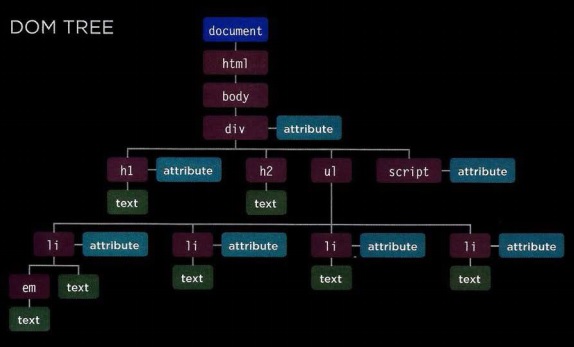
ATTRIBUTE NODES
- The opening tags of HTML elements can carry attributes and these are represented by attribute nodes in the DOM tree.
TEXT NODES
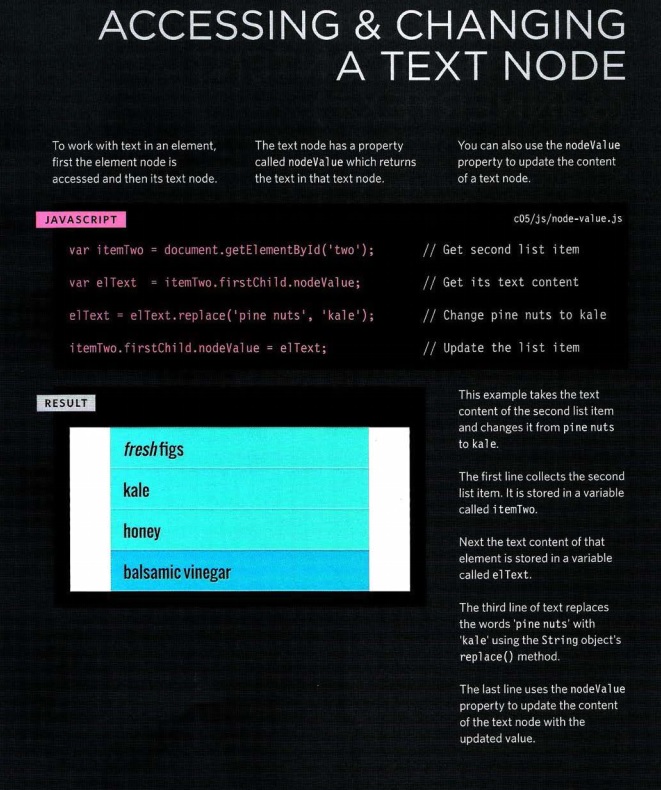
- Once you have accessed an element node, you can then reach the text within that element. This is stored in its own text node.
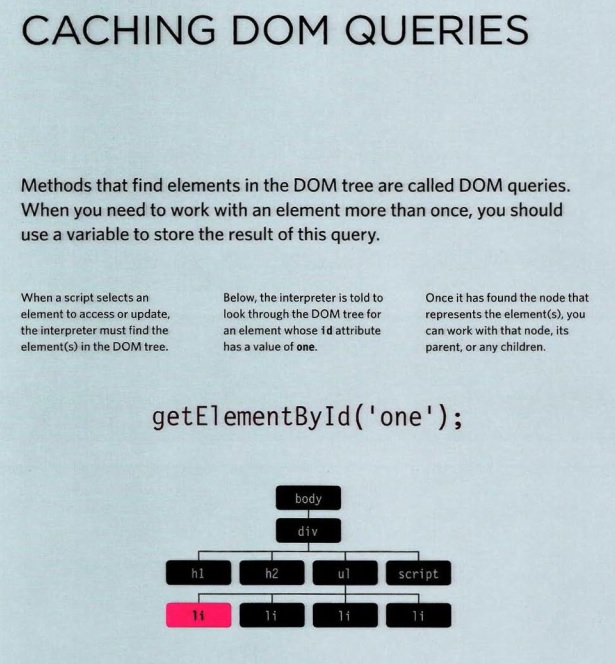
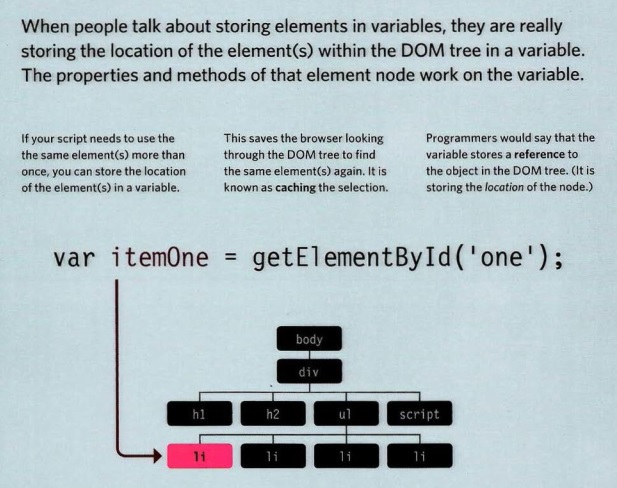
ACCESSING ELEMENTS
- getElementByld(‘id’)
- querySelector(‘css selector’)
- getElementsByClassName(‘class’)
- getElementsByTagName(‘tagName’)
- querySelectorAll(‘css selector’)
-
- Uses CSS selector syntax to select one or more elements and returns all of those that match.
SELECTING AN ELEMENT FROM A NODELIST
There are two ways to select an element from a Nodelist:
The item() method and array syntax.
Both require the index number of the element you want.
- THE item() METHOD
-
- Nodelists have a method called item() which will return an individual node from the Node list.
- the ACCESSING ELEMENTS
// ADDING ITEMS TO START AND ENO OF LIST
var list = document .getEl ementsByTagName( ' ul ')[OJ; // Get the <u l> el ement
// ADD NEW ITEM TO END OF LIST
var newitemLast = document . createElement('li '); /// Create element
var newTextLast = document .createTextNode{'cream'); // Create text node
newitemLast.appendChild(newTextLast);
list.appendChild(newitemLast);
var newitemFirst = document . createElement('li ') ;
var newTextFirst = document.createTextNode('kale');
newitemFirst.appendChild(newTextFirst);
list.insertBefore(newitemFirst, list.firstChild);
- Create the element node
- Create the text node
- Add the text node to the element node
- Add the element to the DOM tree
Document Object ModelSummary
- The browser represents the page using a DOM tree.
- DOM trees have four types of nodes: document nodes, element nodes, attribute nodes, and text nodes.
- You can select element nodes by their id or class attributes, by tag name, or using CSS selector syntax.
- Whenever a DOM query can return more than one node, it will always return a Nade list.
- From an element node, you can access and update its content using properties such as textContent and innerHTML or using DOM manipulation techniques.
- An element node can contain multiple text nodes and child elements that are siblings of each other.
- In older browsers, implementation of the DOM is inconsistent (and is a popular reason for using jQuery).
- Browsers offer tools for viewing the DOM tree.